Getting Started
Note: You can also work on tracking without physical gloves. For that use Simulation Mode (see the docs).
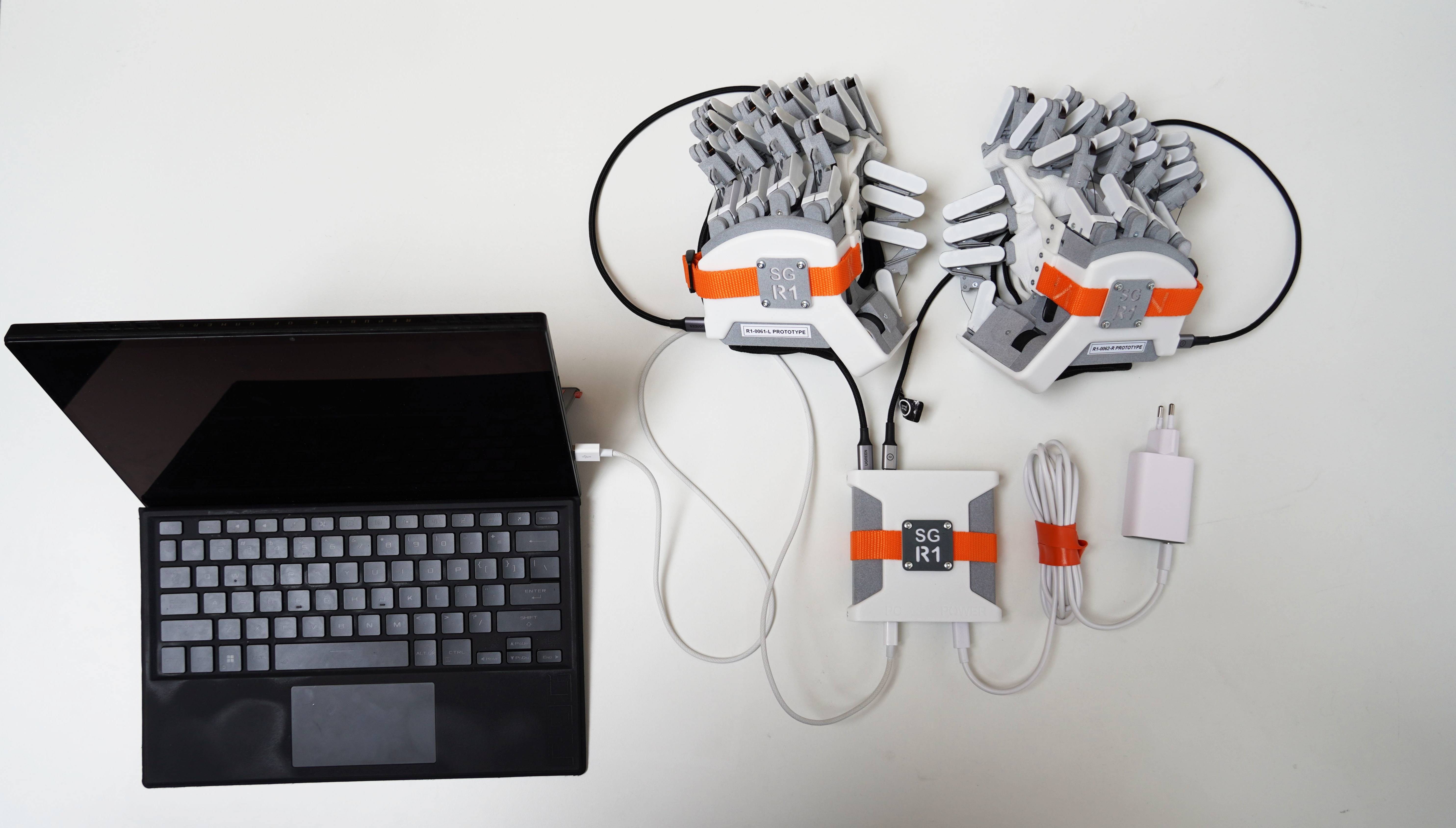
If you are working with one or two physical gloves, this is how to connect them with the linkbox. Note it doesn't matter what glove is in what port.
⚠️ Always use the specified charger and cables
The R1s need a 100W charger + cable, and high power, fast data cables (60 W PD 3.0, PPS USB-C + USB2.0 (480 MBit), shielded). If using other cables or charger than delivered, the gloves may not work as intended, or can disable themselves!
Always use the specified charger, cable and linkbox as below.
Supported OS:
- Windows
- Linux Ubuntu >= 20.04, and other Linux systems with >= GCC 9
Getting started in supported software:
 - Getting started: Python. This is the main API.
 - ROS2 is supported, and is a wrapper around the Python API. Please let us know if your project requires ROS1. Our current python API can support ROS1, requiring python 3.8.x.
Other software
- Please contact sales to discuss projects needing other software support.
Glove installation
Windows
For Windows, install the WinUSB driver: Zadig. Linux does not require a driver.
- Open this, with the glove plugged in
- Select R1 (Composite Parent, Interface 0 or similar) in the dropdown. Don't change any other settings. Click Install Driver.
Linux
No driver is required. However, to allow non-root access to the R1 over USB, you need to add a custom udev rule.
Run this script from the software packages.
or, see TroubleshootingMount:
To mount the glove to a tracker or other device, you can unscrew the R1 logo, then use the holes with the following dimensions on the back of the glove.
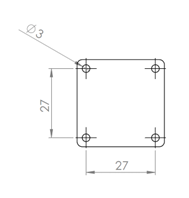
Note: Mounting the glove directly to a haptic arm can be dangerous, as the arm may generate unintended high forces or speeds while the user is strapped into the glove. Mounting the glove to a haptic arm is done at the user’s own risk.
More docs:
📚 Documentation Sections
🚀 Getting Started - Supported software, and basic examples. Read this first!
🎯 Tracking Data - Finger tracking and position data
⚡ Forces - Force feedback and sensors
🤖 Robot hand mapper - Robot hand mapper, easily map to robot hands.
📖 API Reference - Available functions and their docs.
📦 Releases - Changelog of new releases Troubleshooting - Gloves not connecting? Start here.